Hyderabad Metro, redesigned end-to-end.
TSavaari is the official commuter app for the Hyderabad Metro Rail — a 67-km network that moves 400,000+ people a day. The legacy app was the weak link in an otherwise solid commute: frequent crashes, no offline mode, no E-Card integration, and a UI that hadn't been touched since 2018.
Over seven weeks, working solo, I rebuilt it from research up. Personas → IA → wireframes → high-fidelity visuals → tested prototype → handed off to L&T Metro Rail's dev team as a build-ready hi-fi prototype + design system.
An app that crashed at the gate.
Day one of the project I bought a ticket on the live app and missed my train. The app crashed at the gate. I tried to recover the ticket — no offline mode, no cached fare. Walked back to the counter, bought a paper ticket, missed the next train too. The app's main job is to not make you miss the train. It was failing at the floor.
I rode the line for two weeks, screenshotting friction. Six gaps kept showing up across every commute — no offline ticketing, an inconsistent UI with no clear hierarchy, no integration with the physical E-Card the Metro itself issues, thin journey info, no way to block a lost card without driving 30 minutes to a counter, and no nearby-station finder for first-time riders.
The design question: the app has to work for the daily commuter who needs it for 90 seconds and the tourist who needs it for the full hour — without growing into a feature dump for either.
Two weeks of riding the line.
Solo, no formal research budget — so I triangulated. Eight-question interviews with frequent commuters covering crashes, ticketing, E-Card frustration, UI, and station-finding. The same three pain points came up in every conversation: "it crashes", "I can't see my balance", "I don't know which station is closest". A live-app audit on every screen surfaced 18 UI inconsistencies and four dead-end flows. A comparative scan of four metro apps — Delhi, Bangalore, Singapore, London — gave me reference points: Singapore's offline ticketing pattern, Bangalore's E-Card widget.
What changed: I stopped trying to fix everything and picked six specific moves. Each move had to earn its place — if it didn't show up in the interviews and the audit and the comparative scan, it didn't ship in v1.
Solo. Research → build-ready.
I was the only designer on this. Owned everything from the first interview to the final prototype: research, personas + empathy maps, IA, low- and high-fidelity wireframes, full visual design, the design system on Gilroy + Hyderabad Metro Blue, and two rounds of usability testing.
L&T Metro Rail's brief was simple: deliver a build-ready hi-fi prototype + design system their dev team could implement straight from tokens. That's what shipped — Figma file, components on tokens, motion specs. No back-and-forth ambiguity.
Six gaps. Six moves. No feature creep.
Each gap got one focused move. I held the line on no feature creep — every screen earns its keep. The brief said "redesign", not "reimagine", and that distinction kept the scope honest.
- 01
Offline-first ticketing
Cache the active ticket, route map, and last-known fare data on every successful network call. The app stays useful underground. Considered a server-only approach with retry logic; rejected because the gate is the moment the network is least likely to be there.
- 02
Physical-meets-digital E-Card
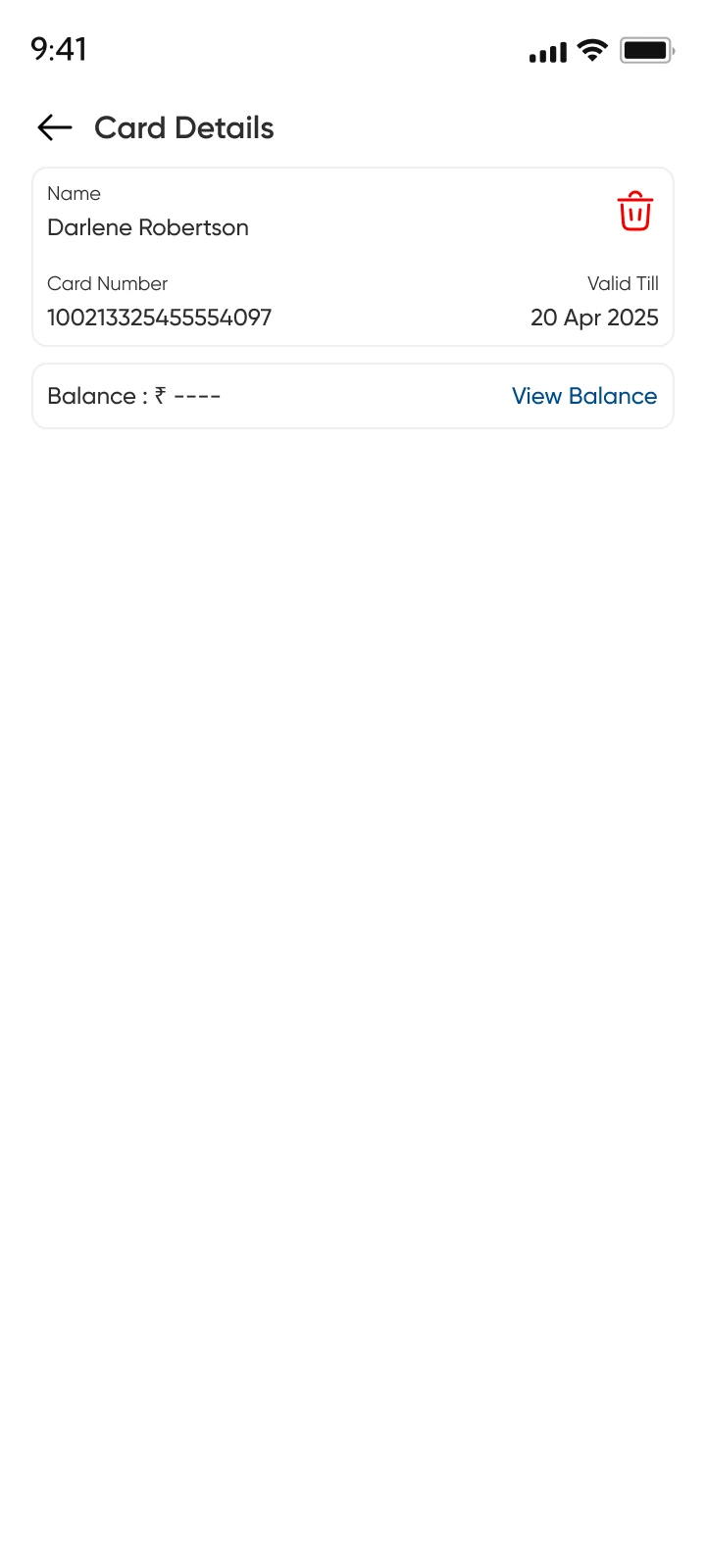
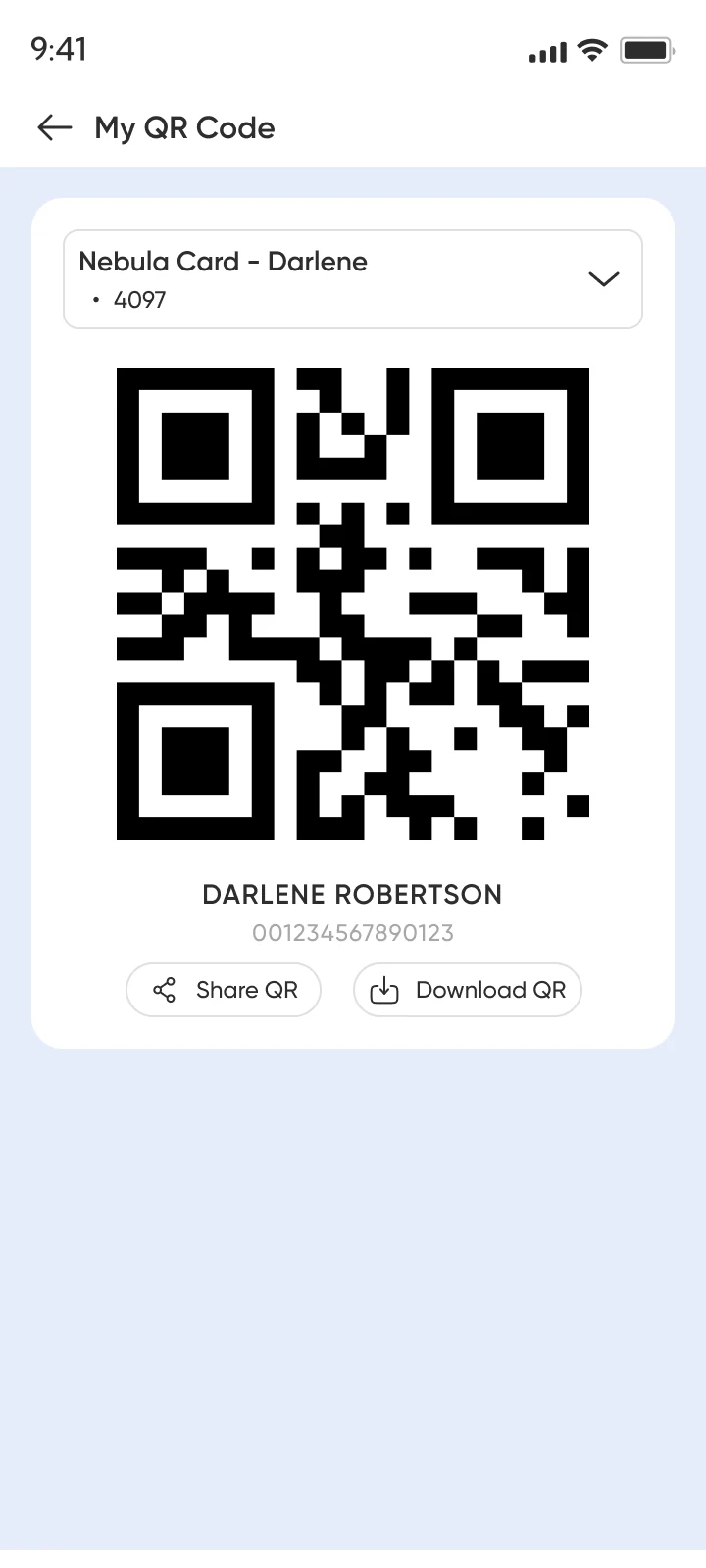
Add the physical E-Card to the app and it generates a QR digital twin for any gate. Recharge, balance, transaction history, and block-on-loss all live in-app. Considered tokenizing the card via NFC and cut it — most Vivo and Realme phones in the user base don't have the hardware. QR works on every phone in the line.
- 03
Journey-first home
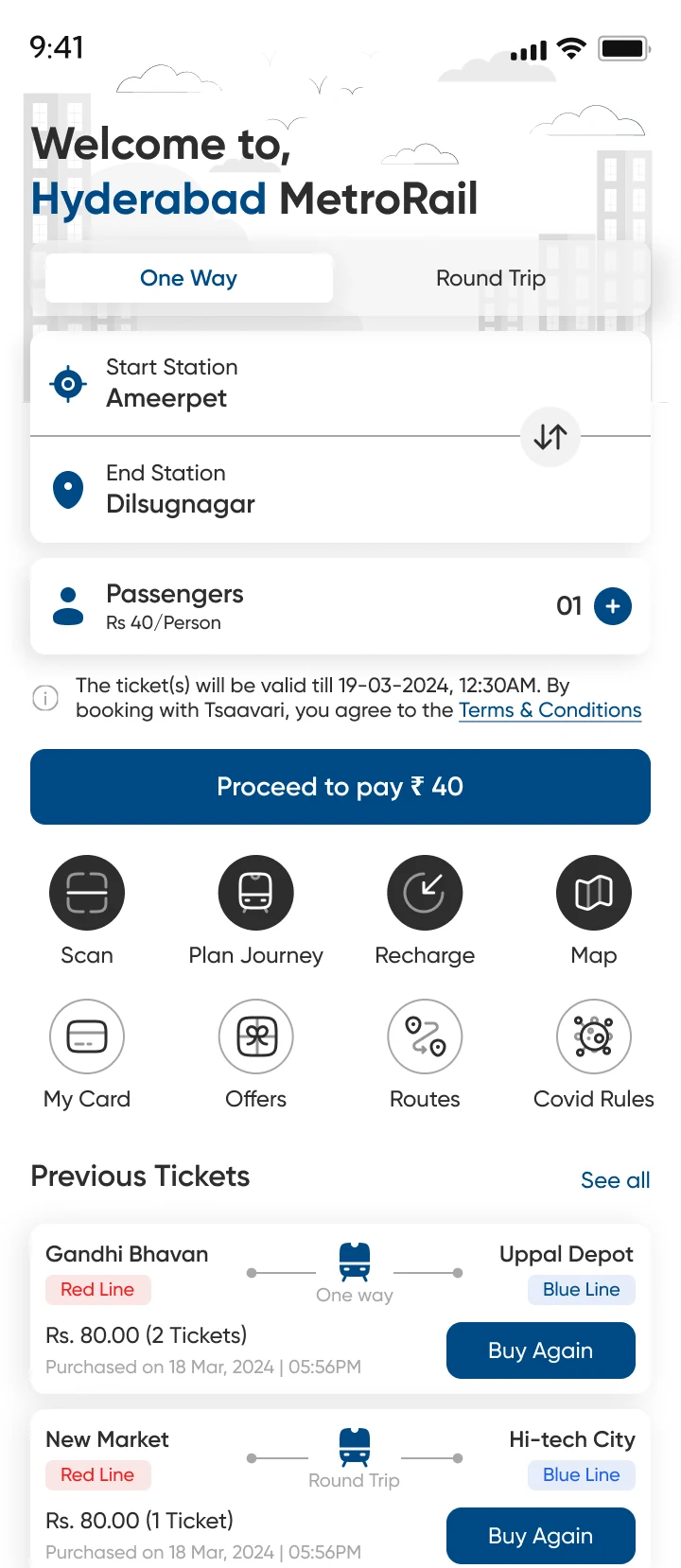
Restructured the home screen around the most common task: book a one-way ticket. Secondary actions (Recharge, My Card, Routes, Map) sit one tap away in a four-icon strip. The previous home had nine equal-weight tiles; the new one has one primary action and four supporting.
- 04
Two-tap card blocking
Lost a card? Tap My Card → Block. Done. No more 30-minute trips to a counter. Friction here is the whole feature — picked a single confirm dialog over a three-step "are you sure?" flow because users in testing said the original counter trip felt like punishment, and the design shouldn't punish twice.
- 05
Location-aware station finder
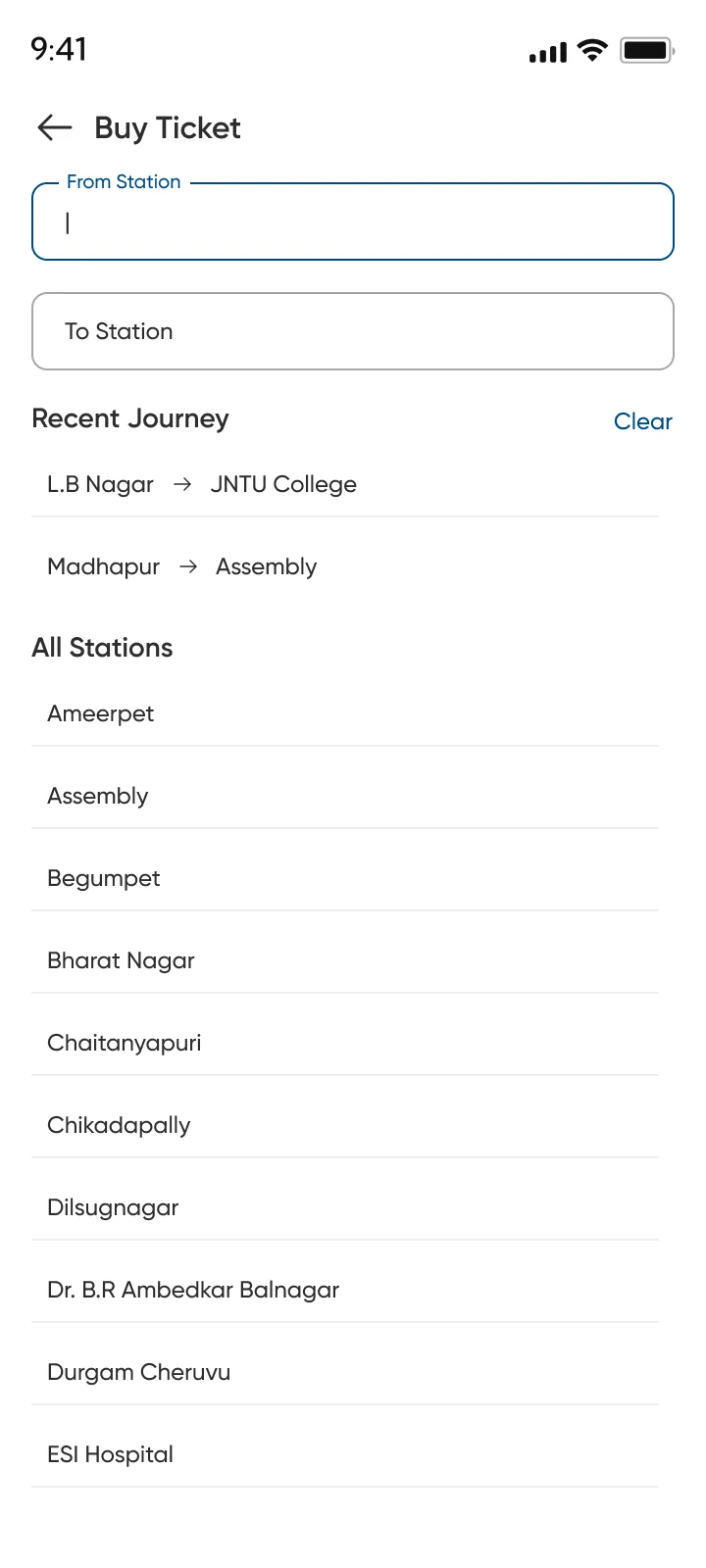
Detect location on launch, show the nearest station and walking time as the first suggestion. Search stays available for everything else. Picked location-on-launch (with a clear permission dialog) over manual search-only because first-time tourists outnumber location-aware regulars in the data.
- 06
Design system on Gilroy + Metro Blue
Gilroy in four weights, Hyderabad Metro Blue (#004A86) primary, semantic green/red for status. Documented and handed off so engineering can build directly from tokens. Picked Gilroy over a custom typeface because the Metro brand already used it on station signage — the app should feel like an extension of the platform, not a separate product.